
4 data types supported
Train your AI with your business knowledge
- FAQ
- Product catalogue
- Documents
- Locations
Data types
Four kinds of knowledge
Different data, one chatbot that answers from all of it.
FAQ
Upload structured question-and-answer pairs. Organise by category, tag for discoverability, and let the AI find the most relevant answers — even when customers phrase questions differently.
- Individual CRUD or CSV bulk import
- Category and tag organisation
- Status control (active/inactive)
- Finds answers by meaning — even when phrased differently
Product catalogue
Upload your product inventory so the AI can recommend the right products with the price, description and link from your own catalogue.
- CSV bulk import or manual entry
- Connect Shopify or WooCommerce so product answers come from your store
- Rich fields: price, category, images, links
- Custom attributes, such as size or colour, to filter on
Documents
Upload policy guides, manuals, training materials, or any reference document. The AI breaks them into searchable chunks and retrieves the right information during conversations.
- PDF, Word, Excel, images and more
- Automatic text extraction and chunking
- Paragraph-boundary splitting for accuracy
- Parent document context preserved
Locations
Upload store locations, branch directories, or service points with addresses, coordinates, operating hours, and contact details. The AI finds the nearest location and provides directions.
- CSV bulk import or manual entry
- Geospatial data with coordinates and addresses
- Operating hours per location
- Distance-based search and directions
How it searches
Multi-dimensional search
Your chatbot searches across multiple dimensions — combining understanding, structured browsing, and cross-referencing — to find the right answer in your knowledge base.
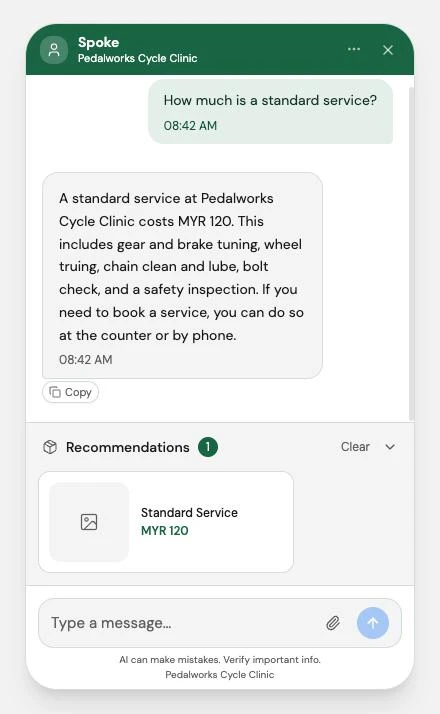
Answers from your records
A price, a policy, an opening time — taken from your knowledge base, not invented.
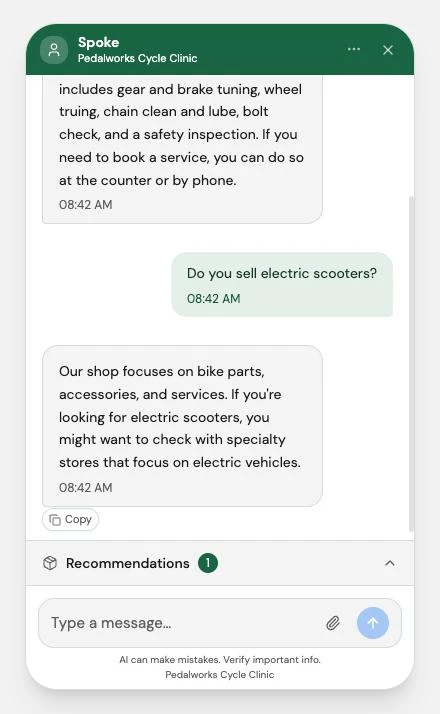
Says when it doesn't know
If nothing in your knowledge base answers the question, the chatbot says so plainly instead of guessing.
Understands What Customers Mean
Finds answers based on meaning, not exact word matches — so "return policy" and "how do I send something back" find the same answer.
One-click sync
After updating your knowledge base, click Sync and your chatbot has the latest information.
Answers from your data
Answers come from your own data, checked before they go out. If the answer isn't there, the chatbot says so.
Website import
Bring your website in, page by page
Choose one of three import methods, pick exactly which pages to bring in, and Gydr turns them into products, FAQs, documents and locations — saving you manual data entry.
- Three clear import methods, from one page to your whole site
- Pick exactly which pages come in
- A credit estimate from your site's own pages before you start
- Stops on its own before it would use more credits than you have
- Review what was found before your chatbot uses it
Train your AI on your own data
Upload your FAQs, product catalogue, or documents — and watch your chatbot start answering questions from your own data.
500 free credits included. Card verified but never charged on Free.